Problems
Identity checks relied on a profile photo that anyone could fake. Shared and fake accounts were damaging client trust.

VIDI’s business runs on one promise: a real person really visited that store. Brands use our researchers’ reports to make decisions, so every visit has to be done by the person who signed up for it.
To check that, every survey starts with a selfie in front of the store, which is matched against the researcher’s profile photo. But the profile photo itself could be anything: an old picture, someone else’s face, even a cartoon character.
So fraud found its way in. A husband doing surveys on his wife’s account. Someone banned for fraud coming back under a relative’s name. It happened in up to ~10% of monthly surveys, but each case hit the data of major Brazilian brands and put our core value proposition in question.
We needed to lock the front door, without making honest users feel like suspects.
Identity checks relied on a profile photo that anyone could fake. Shared and fake accounts were damaging client trust.
Made the profile photo only possible through a liveness check, placed at high-intent moments, with a flow cut from 4 steps to 2 after testing.
Identity fraud became impossible within the verification chain. Failures dropped to rare framing errors.
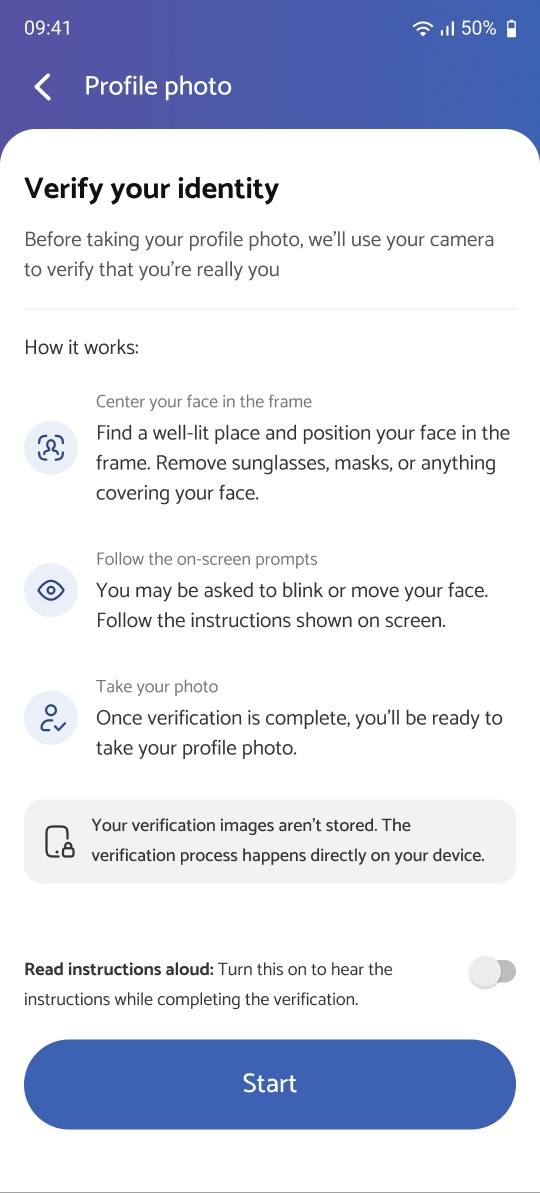

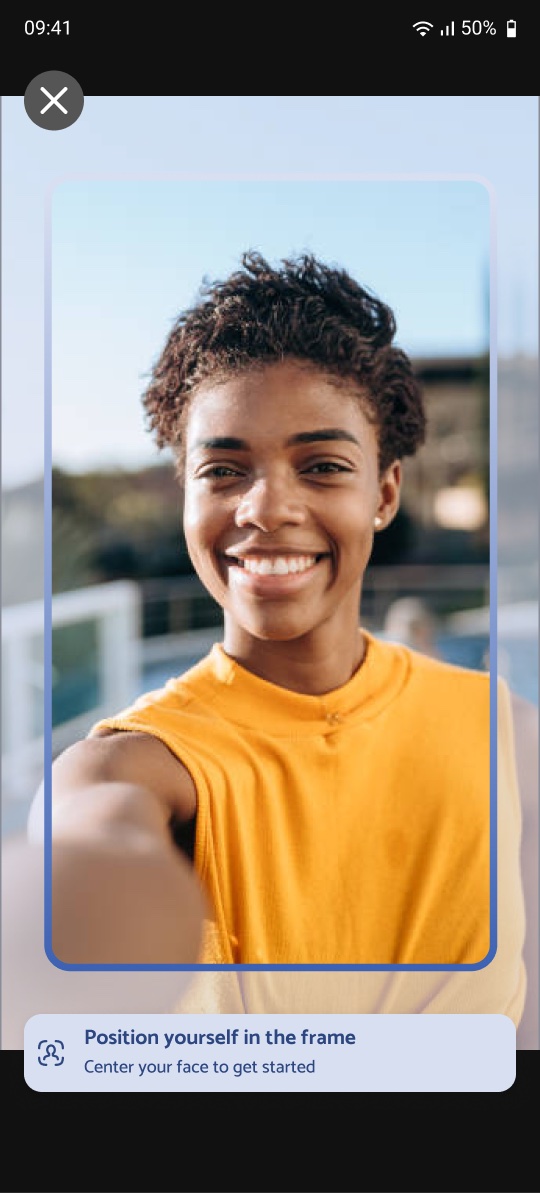
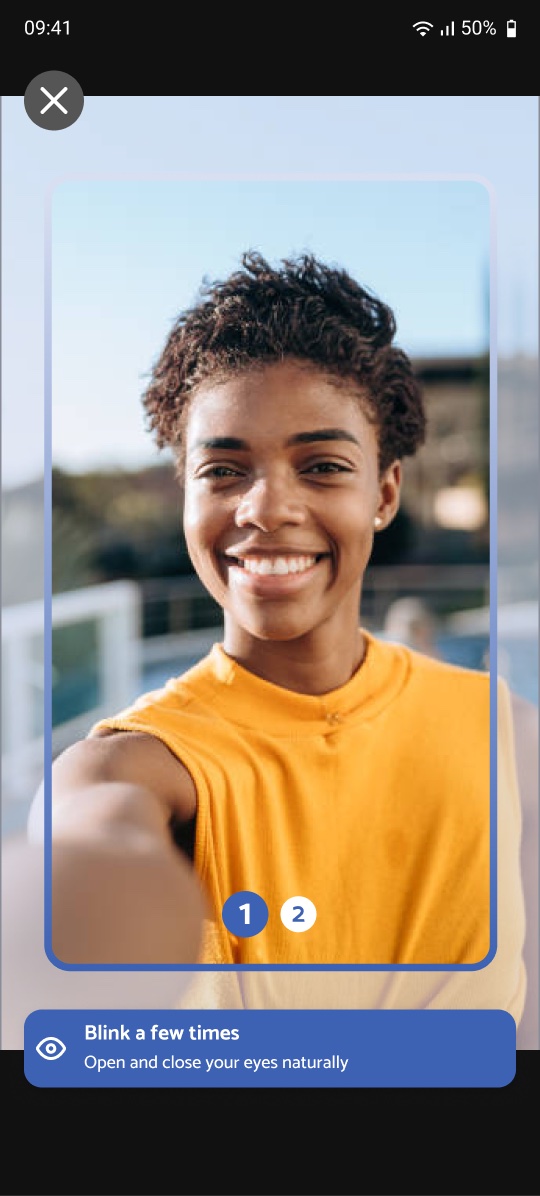
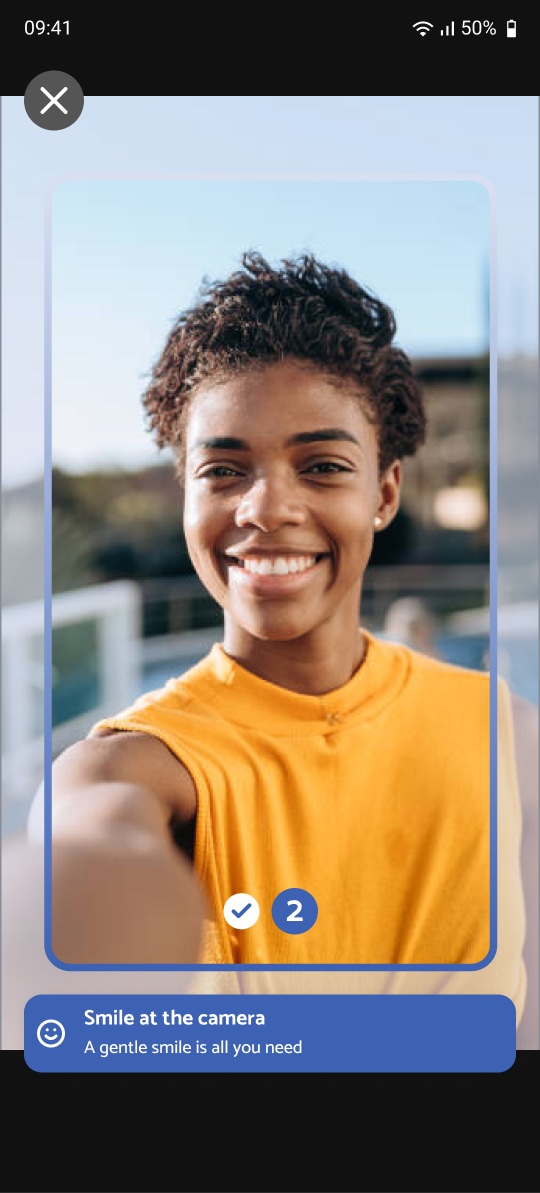
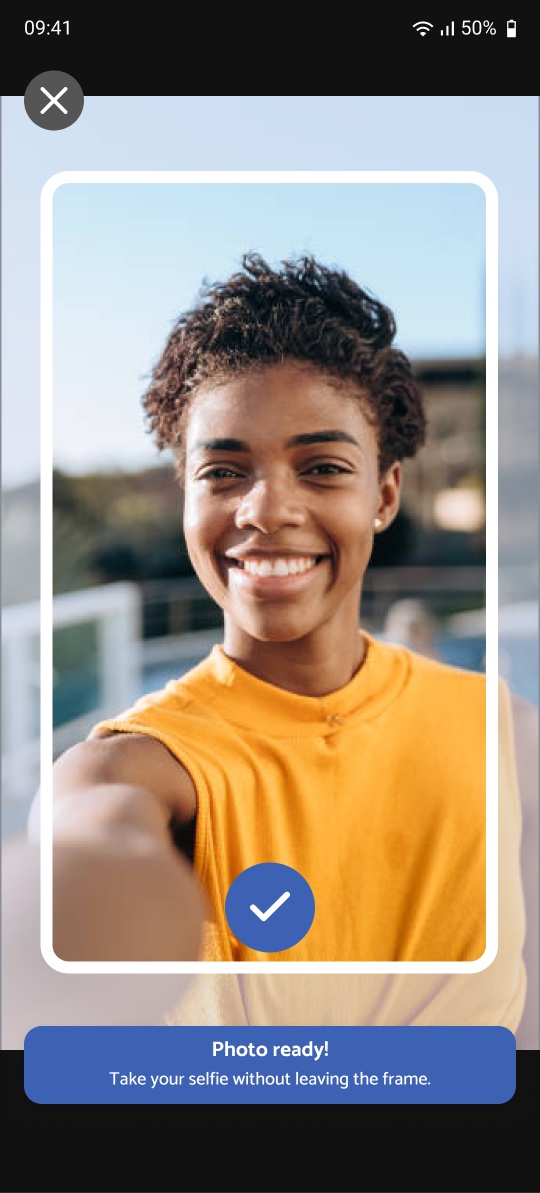
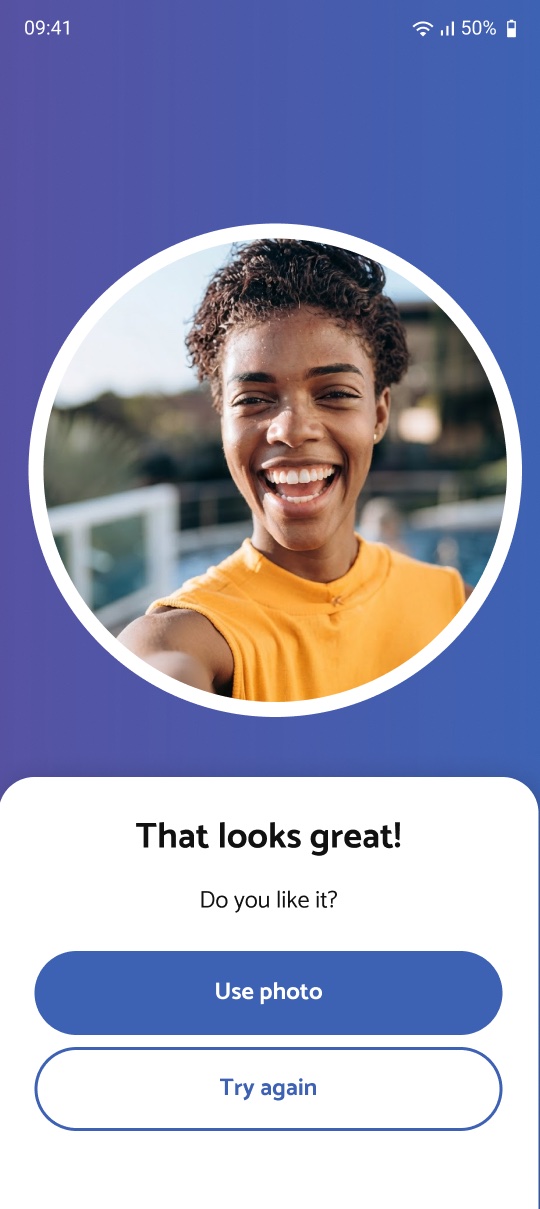
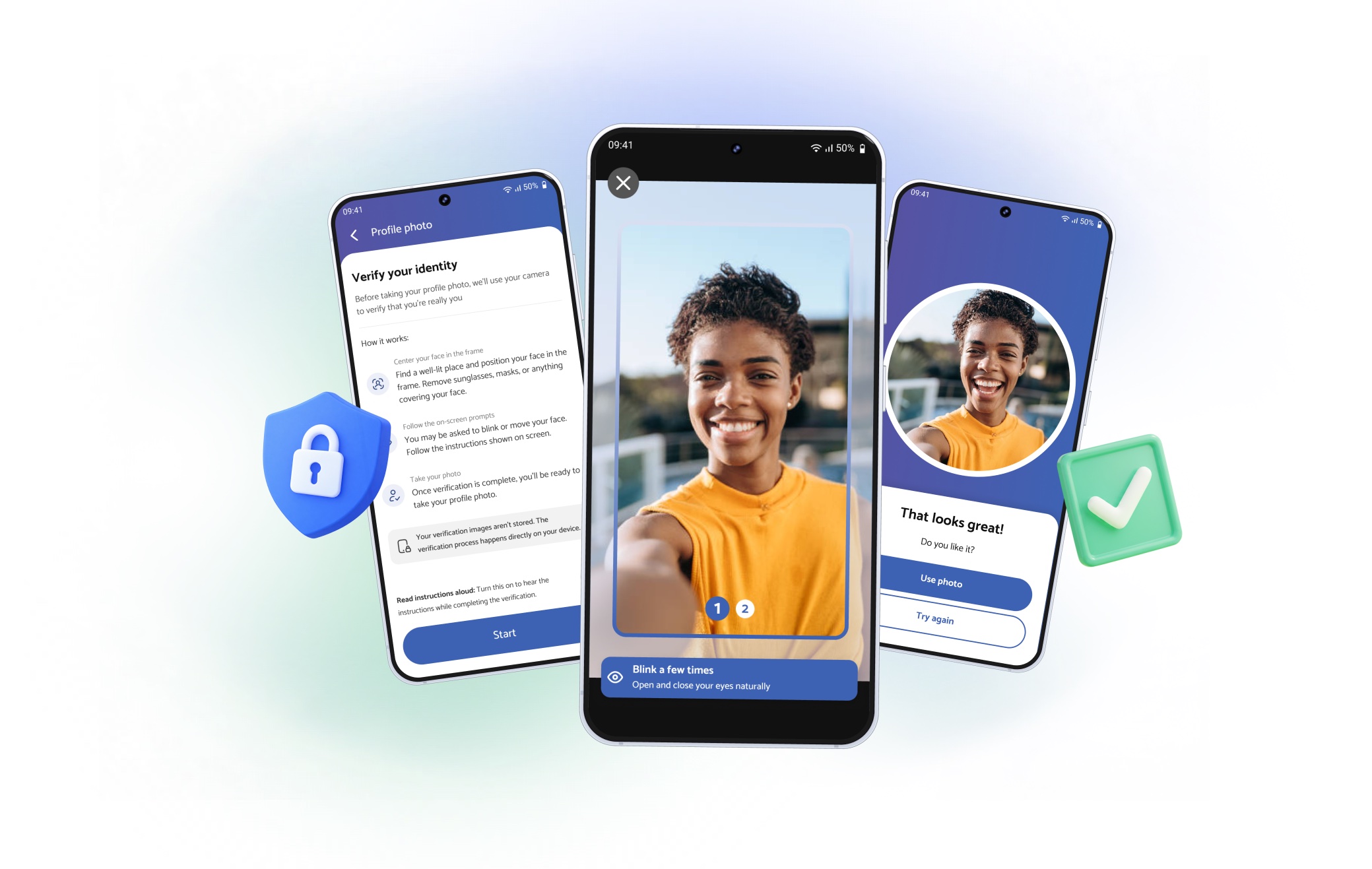
fig 1. the final liveness flow
Our users aren’t tech-savvy by default; many are older and use large fonts or screen zoom. Any verification step that confused them would cost us honest researchers, not just fraudsters.
The detection technology came ready-made from Google’s ML Kit. My job was everything around it:
The storefront selfie was a solid check, but it was only as reliable as the photo it was compared to. And that photo could be uploaded from anywhere.
So we made liveness the only way to set or change a profile photo. No gallery uploads, no exceptions.
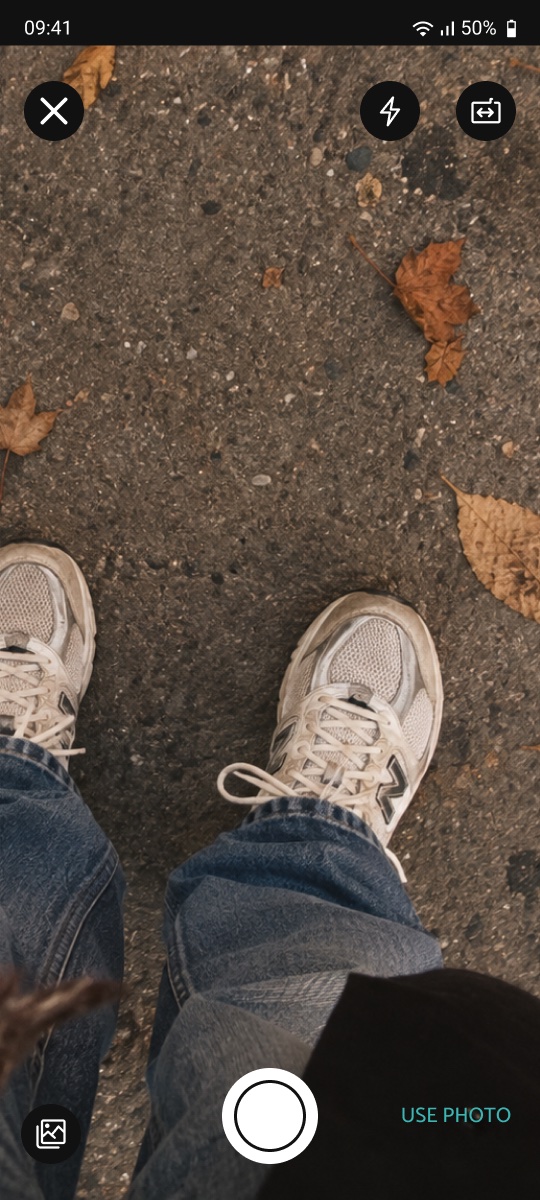
Any photo, from anywhere
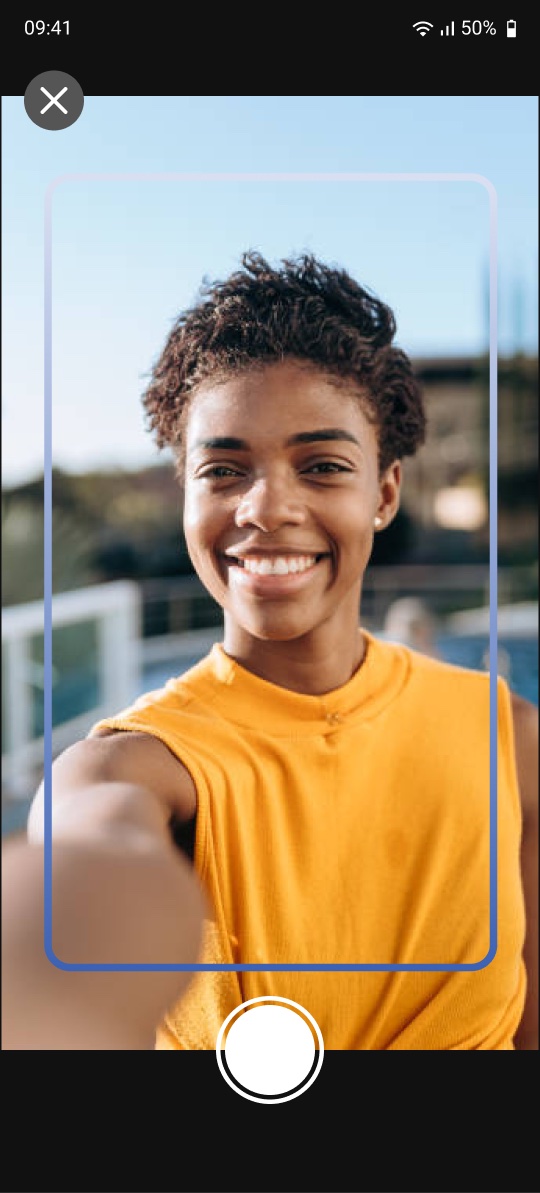
Camera only, with liveness
We had just removed friction from sign-up (→ Onboarding case), so adding a biometric check there would undo that work. Instead, verification happens at two moments where users already have a reason to do it:
Adding a photo is the first step.
Users who skipped profile completion are asked for the selfie when they try to accept their first survey.
Either way, the check appears when there’s something to gain from passing it.
Closing the door for new users wasn’t enough. Every existing researcher had to redo their profile photo through the new flow.
Instead of a mass announcement or a forced interruption, we used the same logic as before: the check appeared the next time they accepted a survey. Users met it at a moment when they were already motivated to continue, so updating their photo felt like part of the job, not an obstacle.
The first version guided users through 4 liveness steps. In early tests, many people gave up or misread the instructions.
We cut it to 2 steps, with clearer, shorter instructions and visual framing guidance. After that, failures became rare, and the remaining ones were mostly about leaving the frame, not misunderstanding what to do.
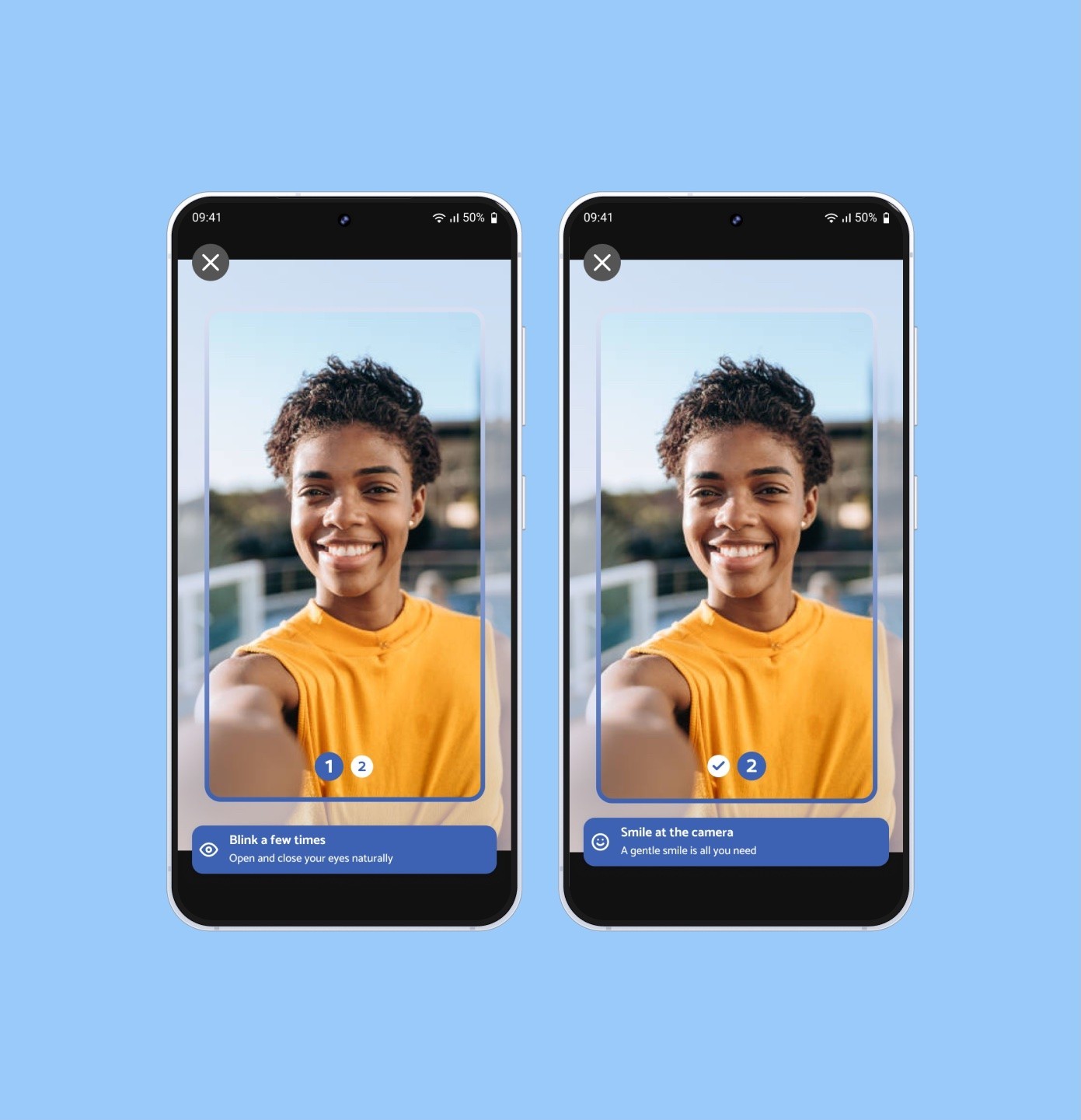
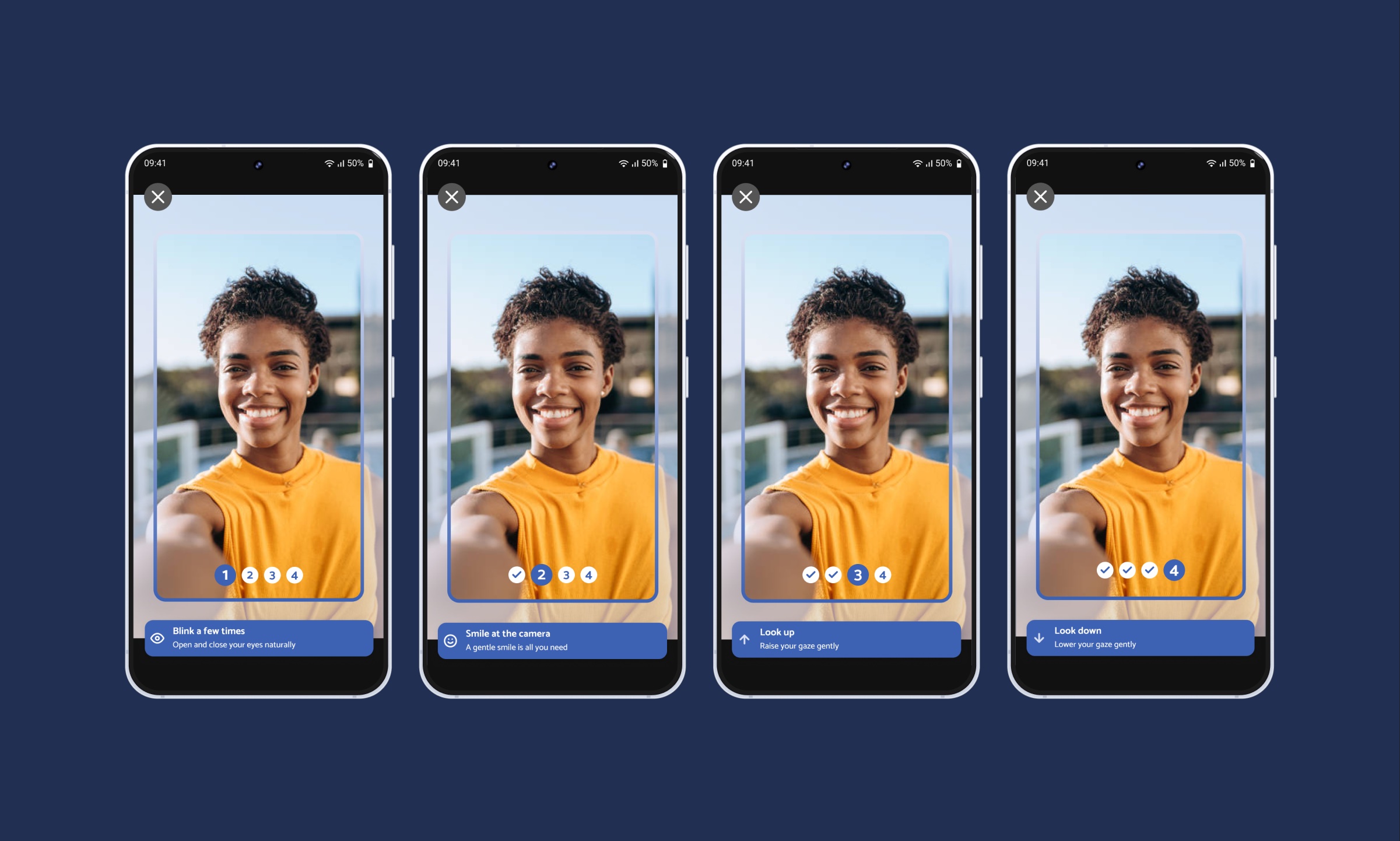
fig 3. the first 4-step version vs. the final 2-step flow, drag to compare
Ways left to fake a profile photo. Profile photos can only be created through liveness, and every survey selfie is matched against them.
Done by a verified researcher. Existing users redid their photos the next time they accepted a survey.
After the pivot to 2 steps, errors were mostly framing issues, not confusion.
In a verification flow, every extra instruction is one more chance to fail.
The technology worked from day one. What made it work for real people was asking less of them.
Making it easier to spot, compare, and choose nearby surveys.