Problems
Users preferred the map, but it showed only pins: no pay, deadline or details without leaving the view.

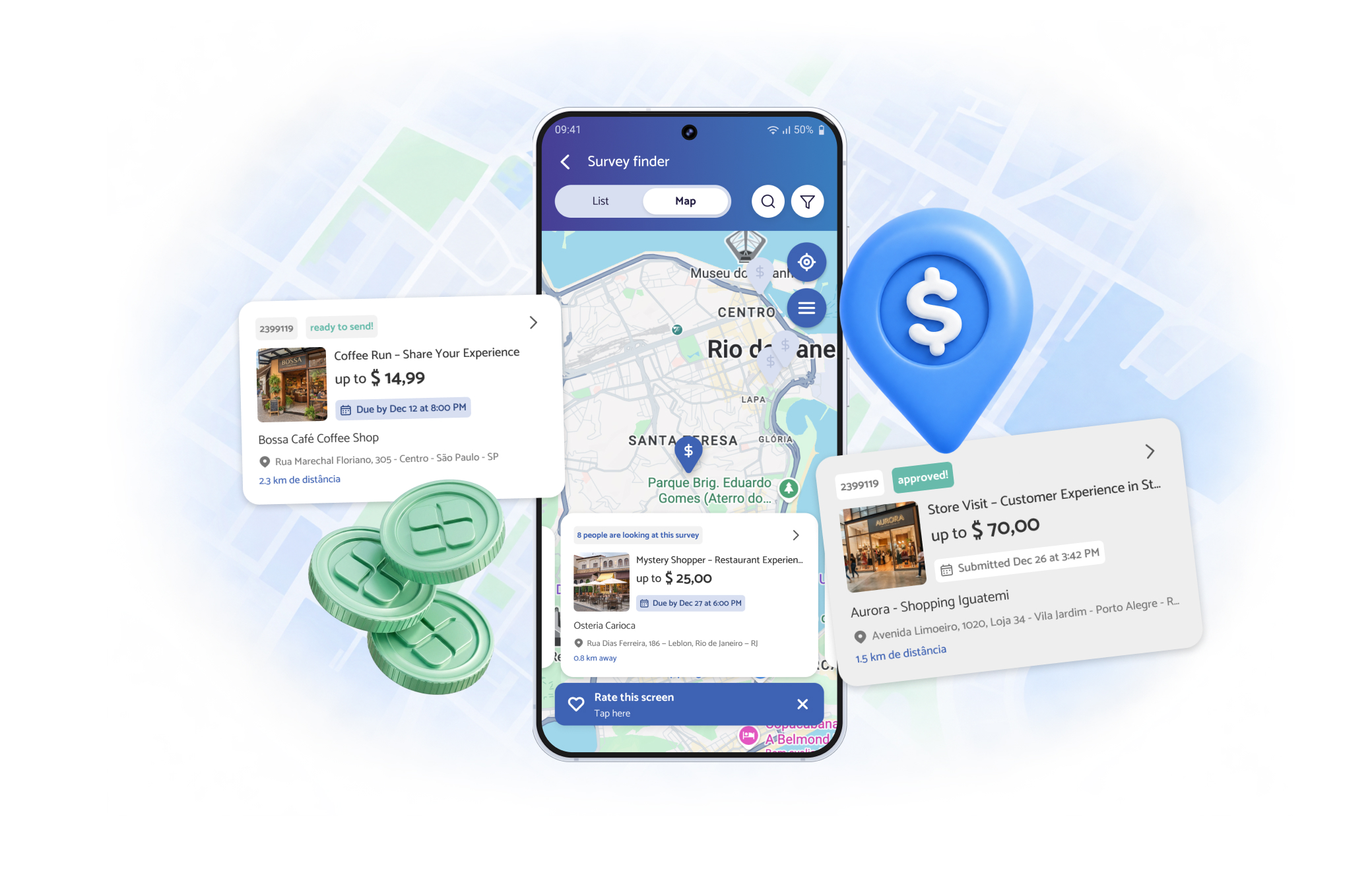
VIDI’s survey finder had two views: a list and a map.
The list was the “complete” one, with full survey cards showing pay, deadline and address. The map showed only pins. To learn anything about a survey, you had to tap a pin and leave the map.
So we assumed most people used the list. Firebase showed they didn’t. Many preferred the map, even though it told them almost nothing.
Instead of pushing users back to the list, we brought the list to them.
Users preferred the map, but it showed only pins: no pay, deadline or details without leaving the view.
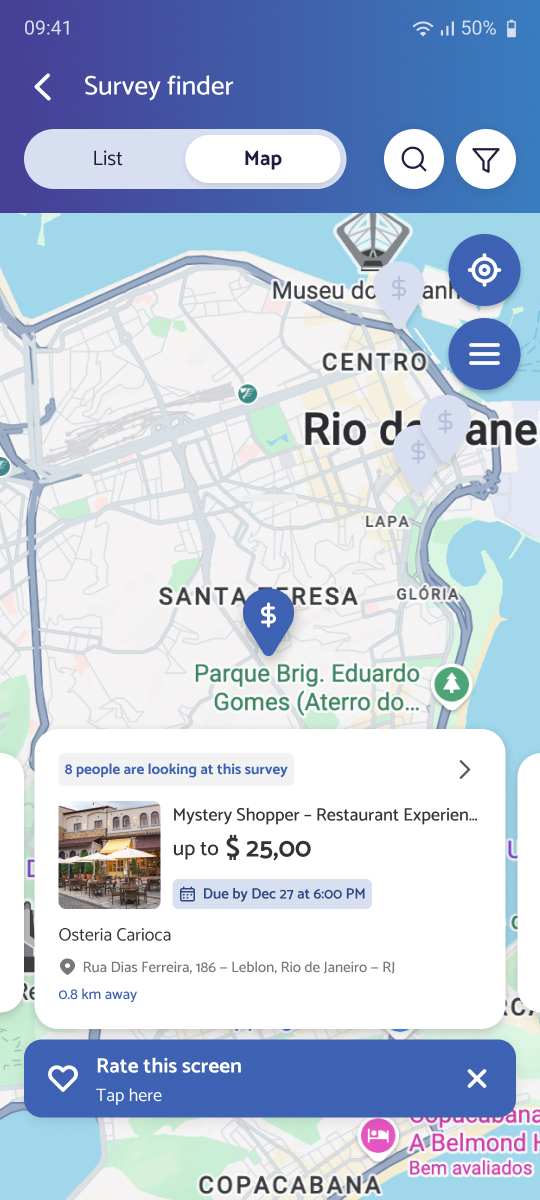
Added survey cards directly on the map, one at a time, combining location with the key details from the list.
A map view designed around real behavior, that works at large font sizes and doubles as a testing ground for the main card.
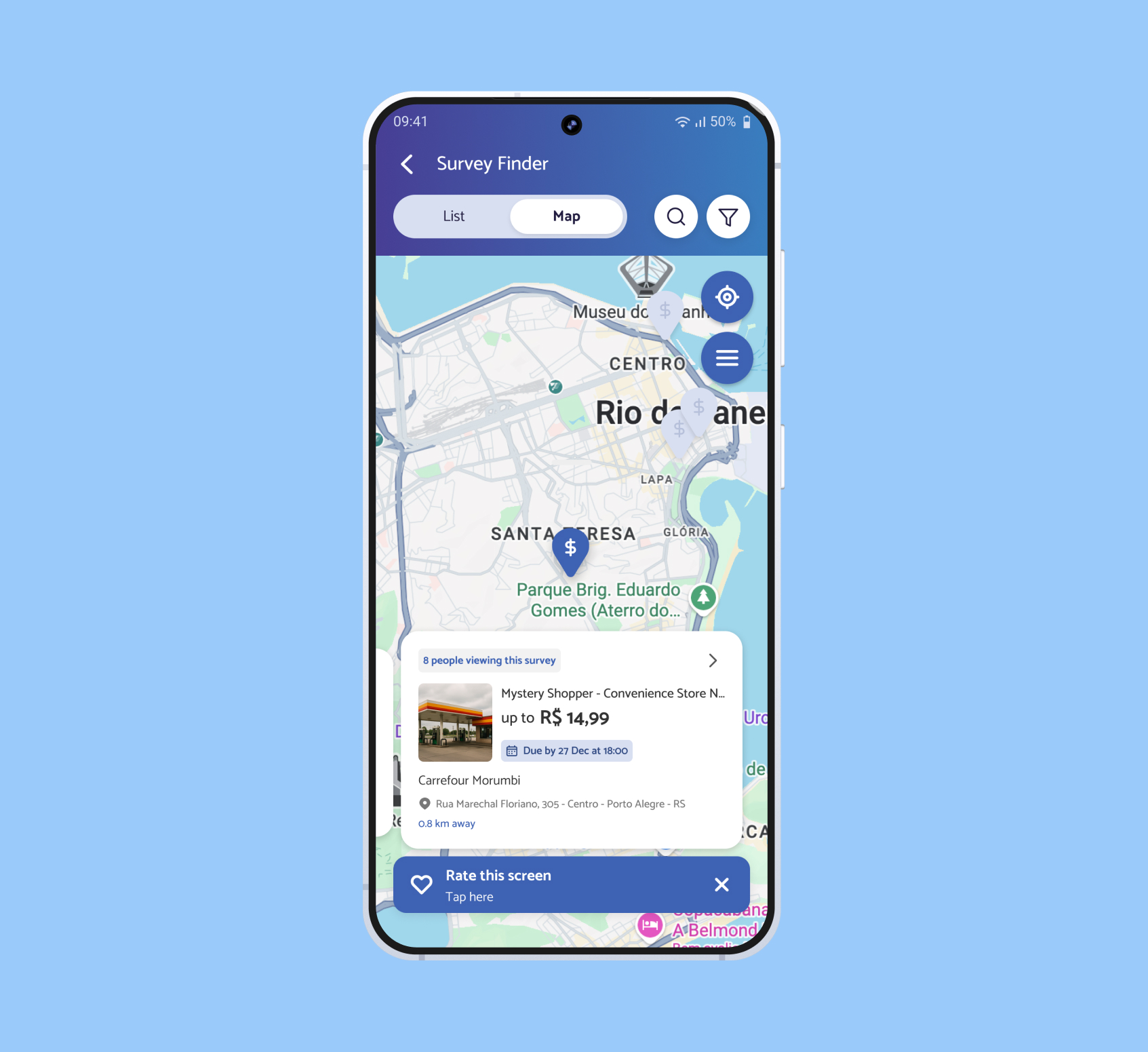
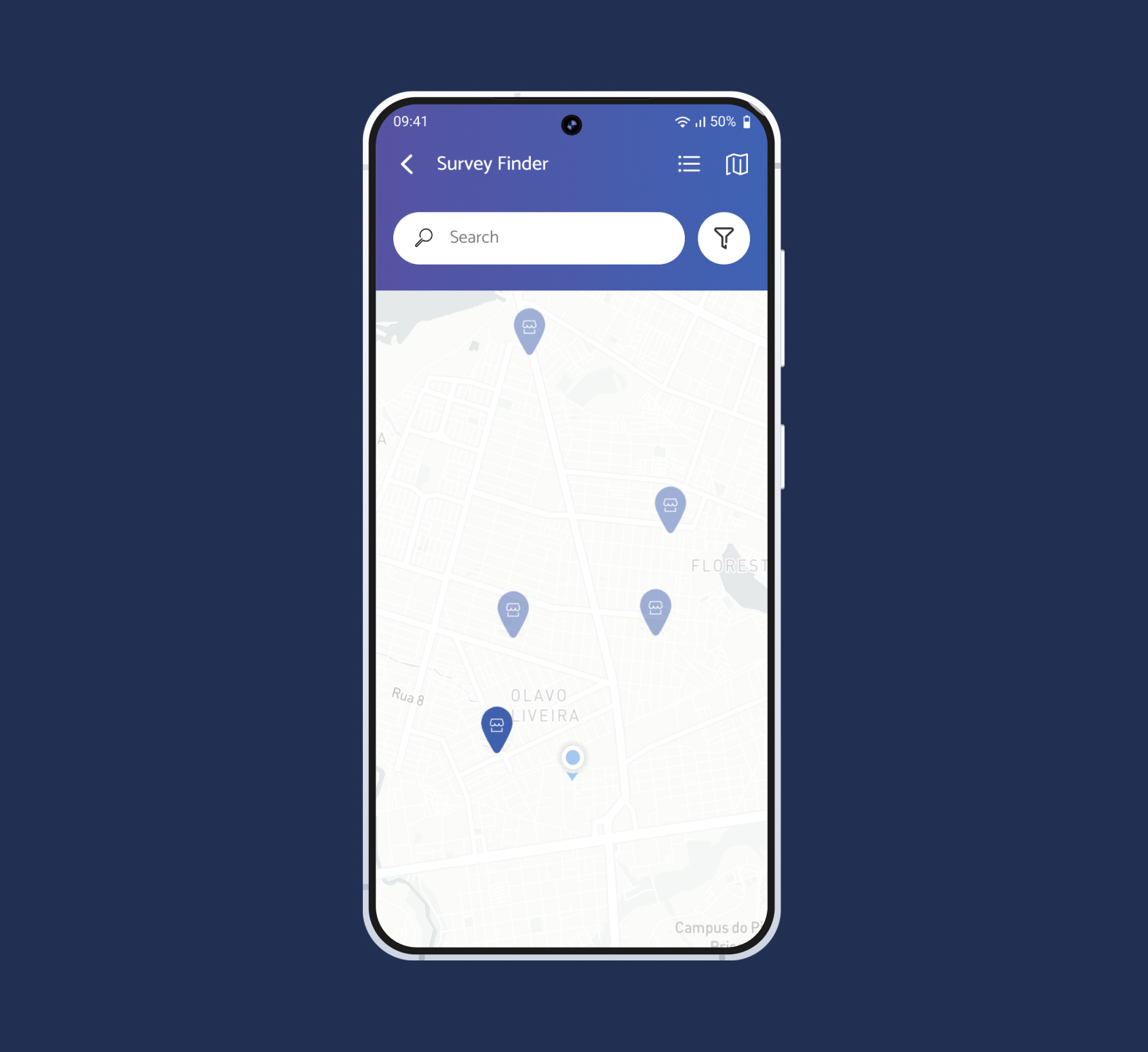
fig 1. the map with pins only vs. pins with a survey card, drag to compare
Researchers choose surveys largely by place: what’s close, what’s on their way, what’s in a neighborhood they know. The map answered that question instantly. It just couldn’t answer the next one: is this survey worth it?
That meant constant back and forth: tap a pin, open the details, go back, tap another pin.
 Tap a pin
 Open the details
 Go back
 Tap another pin
We followed a pattern users already knew from delivery apps like Uber Eats: the map stays in view, and the selected location shows a card with what matters for the decision.
The list view stayed exactly as it was. We added to the map; we didn’t take anything away.
We kept as much of the original list card as possible, with a different hierarchy for the map context. This also gave us a low-risk way to test a new card hierarchy before touching the original.
 1
1Added: a photo of the storefront. Surveys often happen in malls or busy streets with several stores of the same brand nearby. The photo helps researchers find the right location before they even leave home.
 2
2Removed: the CTA button. The whole card became tappable, freeing up space on a small surface. We kept the arrow from the original button in the top corner as a subtle cue that the card opens.
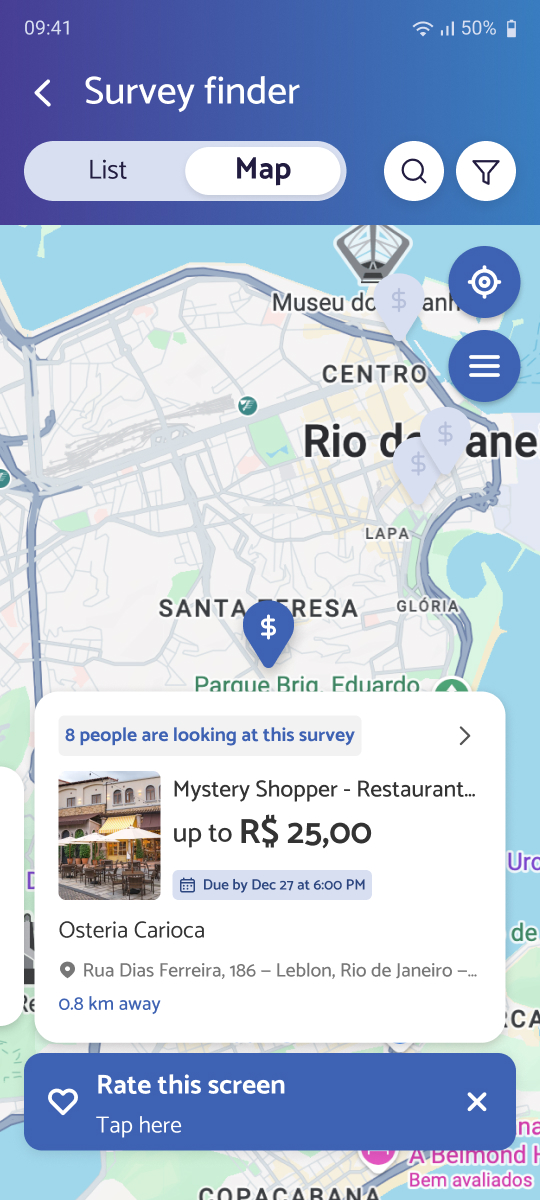
Many VIDI researchers are older and use large system fonts or screen zoom. A card floating over a map is especially fragile in those conditions: it can grow, cover the pins and break the layout.
We adapted the card so it kept working at large font sizes and zoom levels, without hiding the map that made it useful in the first place.

We shipped based on observed behavior, without a dedicated success metric. If I were to evaluate this today, I’d look at:
Surveys accepted from the map vs. from the list
Pin-to-details round trips, which the cards should reduce
Time from opening the finder to accepting a survey
Pay attention to what users choose, not just to what you designed for them.
The map was never meant to be the main view. Users decided it was, and the best move was to follow them.
Moving optional profile details out of sign-up and showing users why completing them matters.